Choosing Business Wi-Fi: What Matters More Than the Box on the Shelf
Business-grade versus consumer gear, separating guests from your company network, getting coverage right, and deciding who manages it all.

When Wi-Fi is slow or drops out, everyone notices. Video calls freeze, card readers fail, printers vanish. Very often the cause is a home router that was bought years ago for a much smaller office, sitting in a closet at one end of the building.
Good business Wi-Fi is not complicated, but it is planned. Here is what to think about before you buy anything.
Business-grade versus consumer gear
Consumer routers are built for a household: a handful of people, one network, set up once and forgotten. Business equipment is designed for more devices, more control and less babysitting.
- Separate access points Instead of one box trying to cover everything, several ceiling or wall units share the load and hand devices off as people move around.
- Central management All access points are configured and monitored from one place, so a change is made once, not on every unit.
- Multiple networks Staff, guests and devices like cameras or card readers can each get their own network with their own rules.
- Security updates Business vendors tend to support their hardware with updates for longer, and make updates easier to apply across every unit.
- Visibility You can see what is connected, spot problems and find out why a particular area is slow.
For a very small office, a quality mesh system can be enough. Once you have more than a few people, multiple rooms, or devices that must stay connected, business-grade gear usually pays for itself in fewer headaches.
Keep guests off your company network
If visitors use the same Wi-Fi as your staff, their devices sit on the same network as your file shares, printers and computers. A guest network fixes that.
- Isolate guests Guest devices should reach the internet and nothing else, and ideally not even each other.
- Change the guest password regularly Not the staff password. Make it easy to share and easy to rotate.
- Separate your gadgets too Smart TVs, cameras, thermostats and other connected devices belong on their own network, away from computers holding company data.
- Protect the staff network properly Use current security settings (WPA3 where your devices support it), a strong password, and ideally sign-in with individual accounts so access can be removed person by person.
Coverage is about placement, not power
Turning up the signal on one router rarely fixes dead zones. Walls, glass, metal shelving, elevators and even fish tanks all affect how Wi-Fi travels.
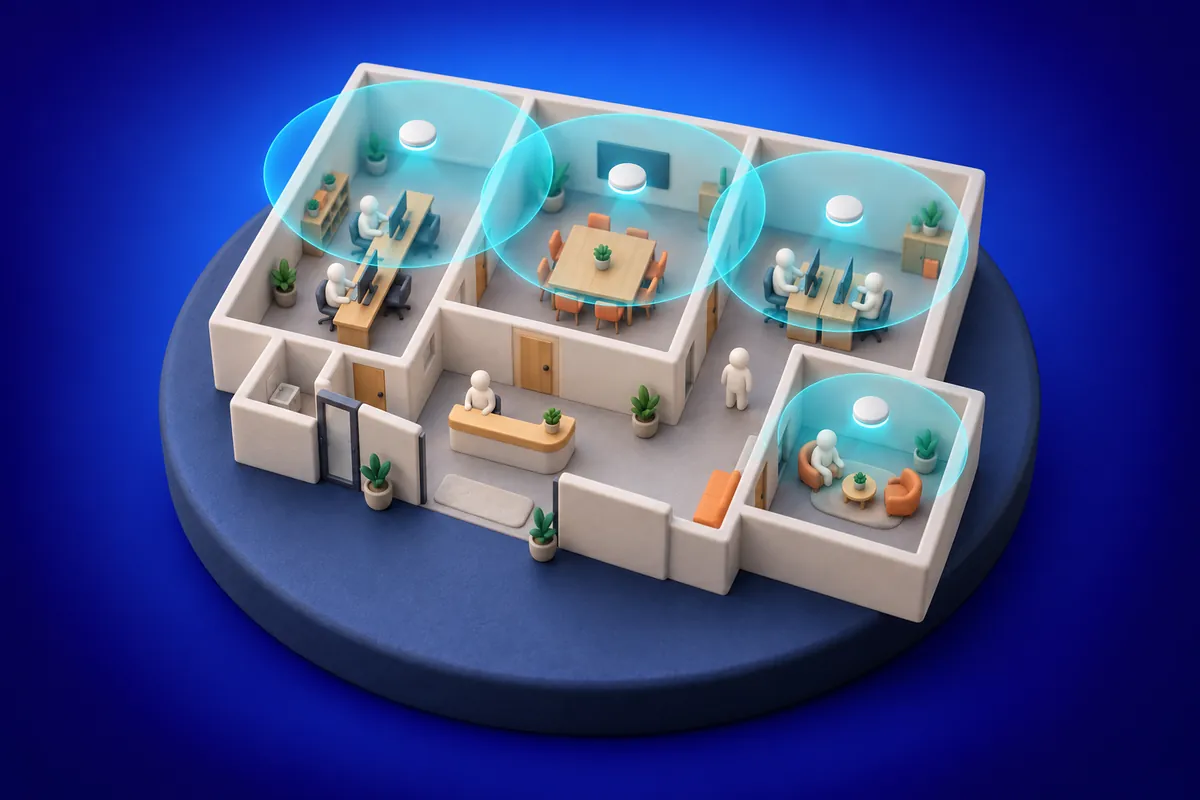
- Plan the layout Look at where people actually work, meet and take calls, not just the floor plan.
- Place access points centrally and up high Ceilings are usually best, away from thick walls and metal.
- Wire them in Access points connected by network cable perform far better than ones relaying signal wirelessly.
- Plan for density A conference room full of laptops needs more capacity than a hallway.
- Test after installing Walk the space with a phone or laptop and check speed and signal where it matters.
Do not forget the rest of the chain
Wi-Fi is only as good as what sits behind it. A slow internet plan, an old firewall or a tangle of unmanaged switches can make even excellent access points feel sluggish. If your business depends on being online, consider a backup internet connection that takes over automatically when the main one goes down.
Who manages it?
This is the question that usually gets skipped. Someone needs to apply updates, change guest passwords, add and remove staff access, and investigate when things slow down. If that someone is "whoever is nearest the closet," the network will drift out of date.
- Keep a record of the equipment, its admin logins (in a password manager) and how it is set up.
- Make sure admin access is protected with strong passwords and, where possible, multi-factor authentication.
- Decide who gets alerted when an access point goes offline.
Thinking about new Wi-Fi or tired of the old one? Tell us about your space and we will help you plan it.